
FAQs
How do I change the IBR-TOUCH keypad type ('skin')?
- Place the control panel into configuration mode by placing jumper JP5 from the top two pins ("NORMAL") to the lower two pins ("CONFIG").
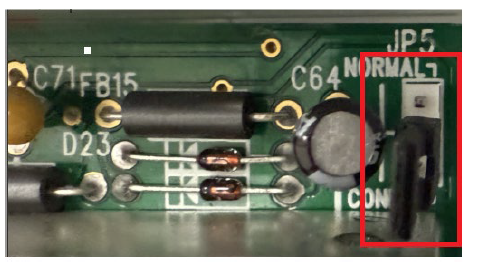
- Wait until the keypad display reads "OUT OF SYSTEM".
- Tap 1 1 1 2 3 Function and "Keypad Beep ON" will display.
- Tap Function repeatedly until you "KEYPAD TYPE GEM-RP1CAe" appears.
- Tap the Interior (Next/Yes) button.
- When "KEYPAD TYPE GEM-K1CA" appears, tap ENTER > RESET.
- Press/hold down the 'gear' icon (Settings).
- Type "admin" (all lowercase).
- When "Making changes...Are you sure that you wish to confinue?" appears, tap Yes.
- In Dealer Settings, tap Security.
- Tap Keypad Skin for Serial Connection.
- In the Select Keypad Skin for Serial popup, tap K Series Stay/Away.