FAQs
Why didn't my control panel detect the loss of AC power?
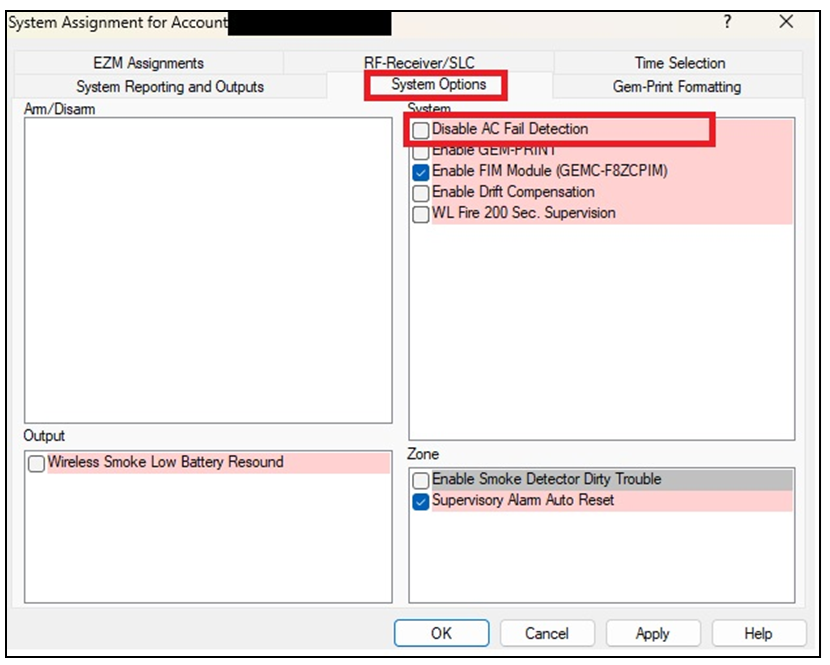
It is likely that the System Option "Disable AC Fail Detection" was enabled, thus the loss of power was ignored. To enable AC fail detection:
FireLink Cloud
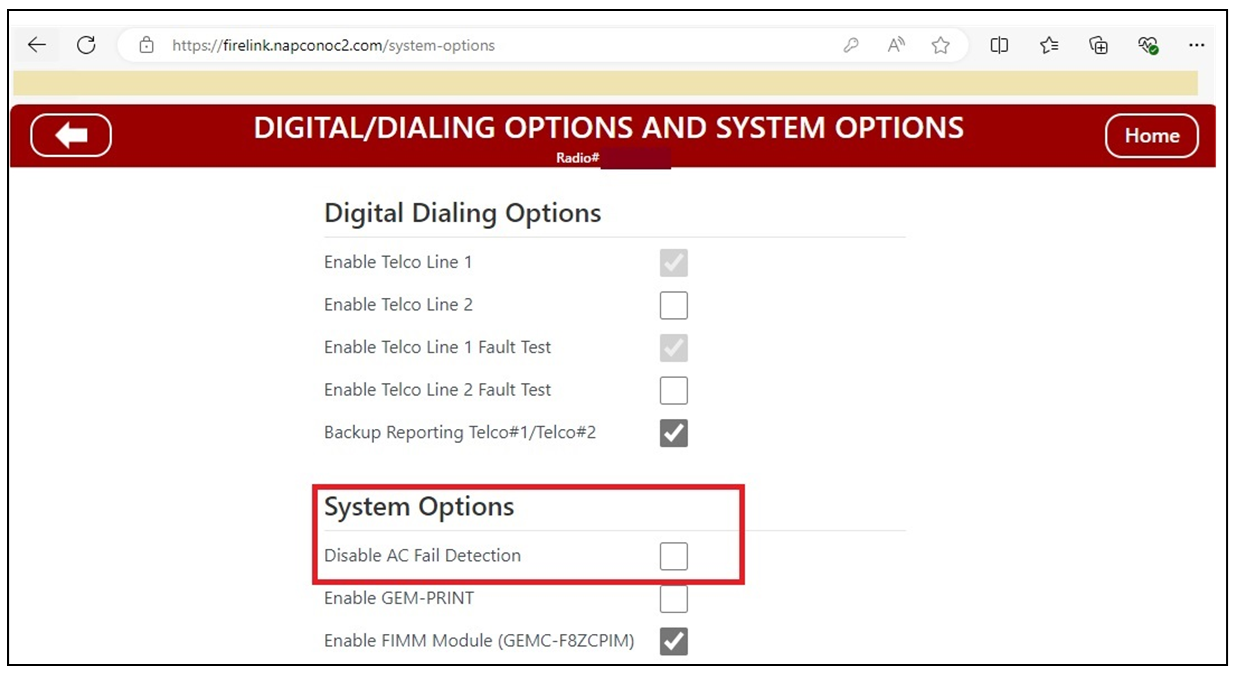
To enable AC fail detection using the FireLink Cloud (www.firelinkpro.com) or the FireLink App, open the Digital/Dialing Options and System Options screen and ensure Disable AC Fail Detection is NOT checked
PCD-Windows Quickloader Software:
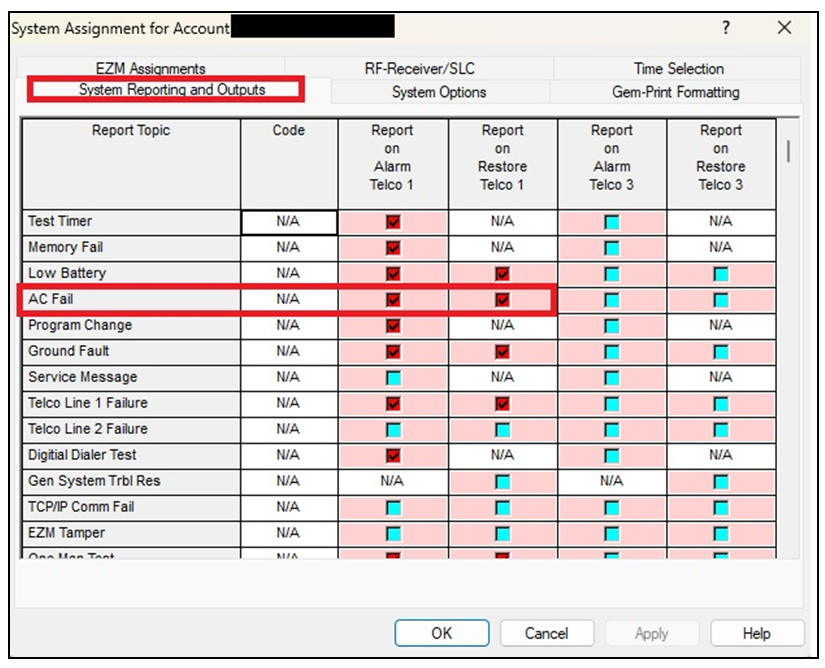
- Launch Quickloader, open System Assignment > System Reporting and Outputs. For AC FAIL, add a check to Report on Alarm Telco 1 and Report on Restore Telco 1:
- Select the System Options tab and ensure Disable AC Fail Detection is NOT checked: