FAQs
In place of using the NL-MODCONFIG software, does the IBR-ZREMOTE have a browser interface where I can directly program its keypad address and IP information, etc.?
Yes, the IBR-ZREMOTE can be optionally programmed using a browser in place of the NL-MODCONFIG software, as follows:
- Register and select a service plan for the IBR-ZREMOTE at NapcoComNet.com.
- Wire the IBR-ZREMOTE for power and its Internet connection.
- Use your PC to log in to the same network referenced in the previous step.
- Launch a web browser and type this address:
-
- http://napco###.local (where ### is last three digits of the IBR-ZREMOTE MAC Address)
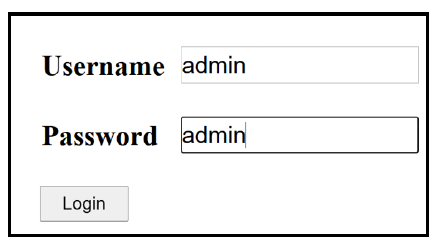
- Enter the following Username and Password:
-
- Username: admin
- Password: admin
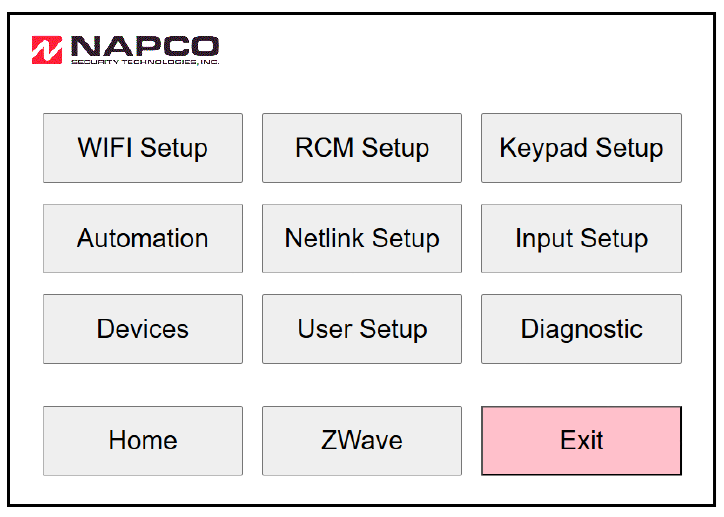
- The screen that appears, shown below, displays all the available IBR-ZREMOTE programming options. For basic programming, select Keypad Setup and NetLink Setup.
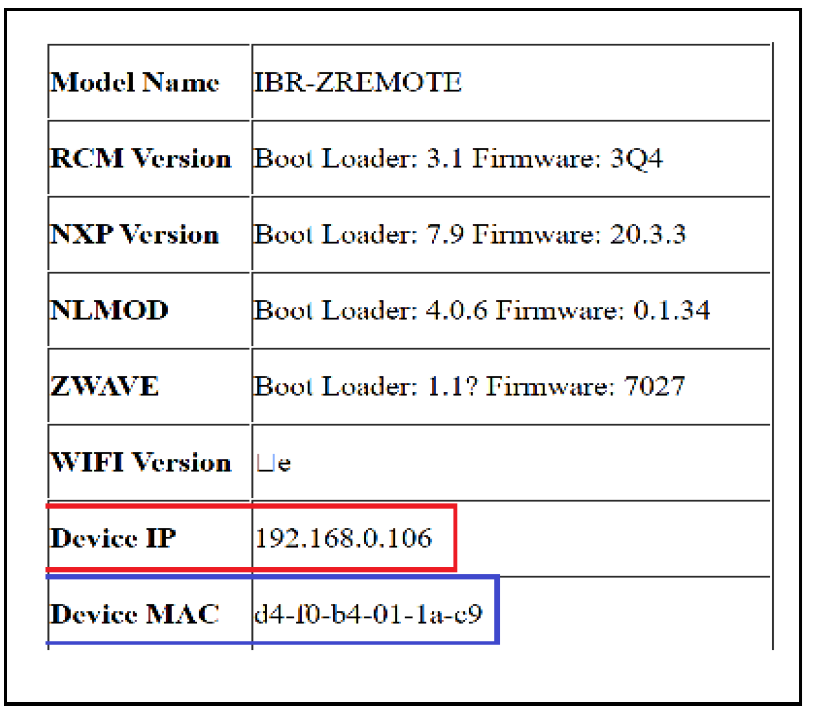
Select Home and its opening page displays the IBR-ZREMOTE MAC Address and its IP Address:
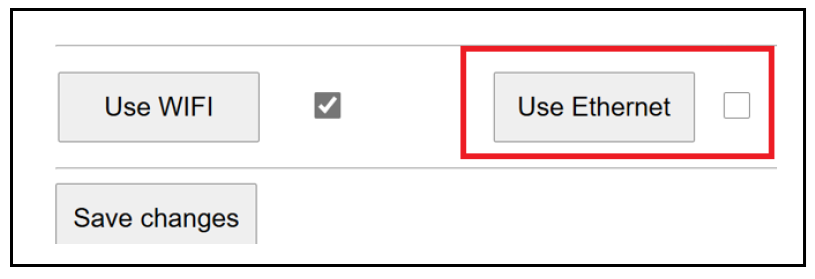
Select Wi-Fi Setup: If using a Wi-Fi module, select Use Wi-Fi; if using a wired Ethernet connection, select Use Ethernet.
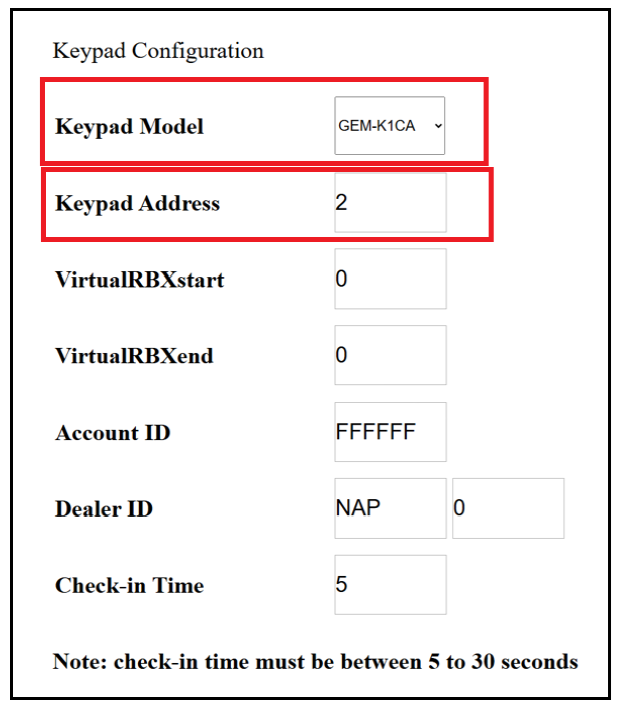
Select Keypad Setup: Set your Keypad Model ("skin") and its Keypad Address. Note: Do not change any other field in this section.
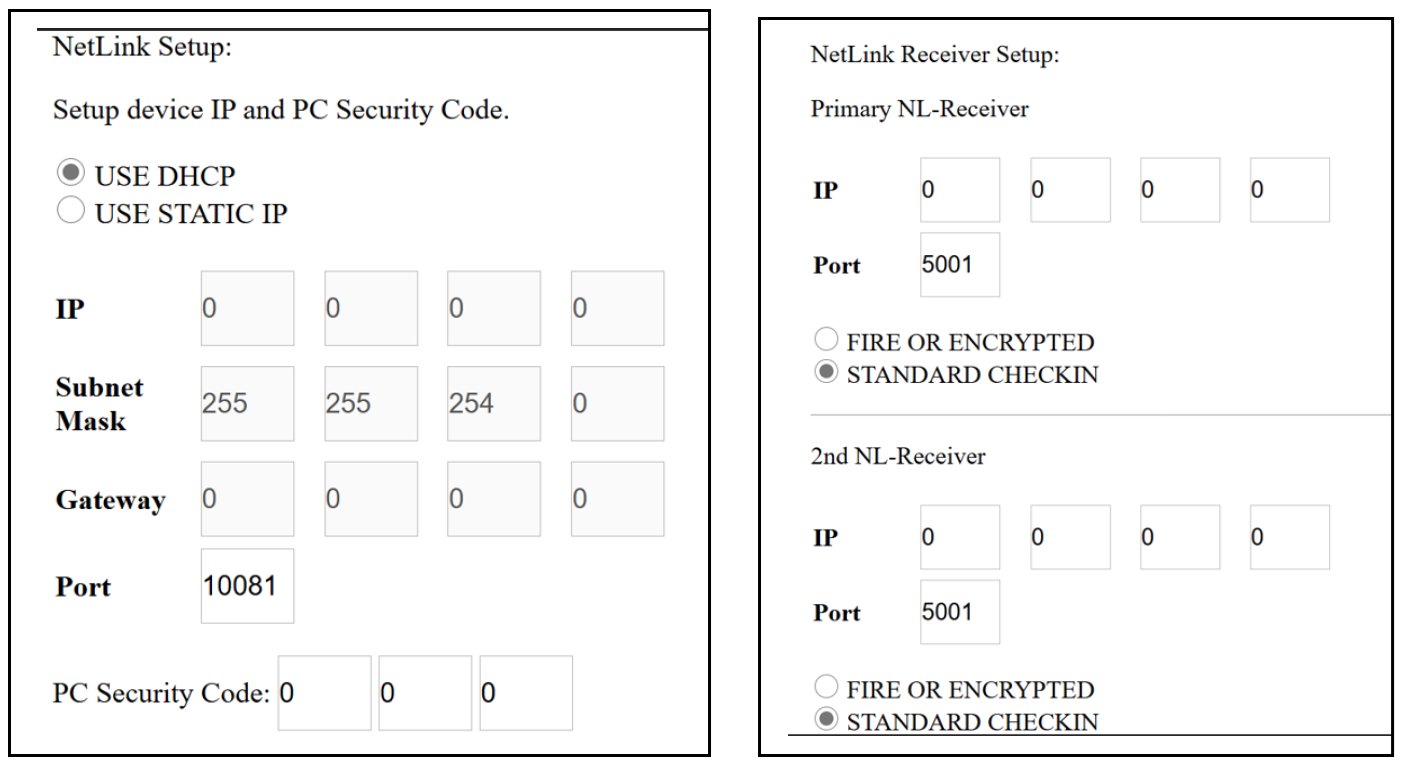
Select NetLink Setup: Use this screen to program the IBR-ZREMOTE to use DHCP or to manually assign a static IP Address. You can also manually program the IP address and Port number of the NetLink receiver.