
FAQs
How do I test my Gemini control panel digital dialer to ensure my alarm system is communicating with the central station?
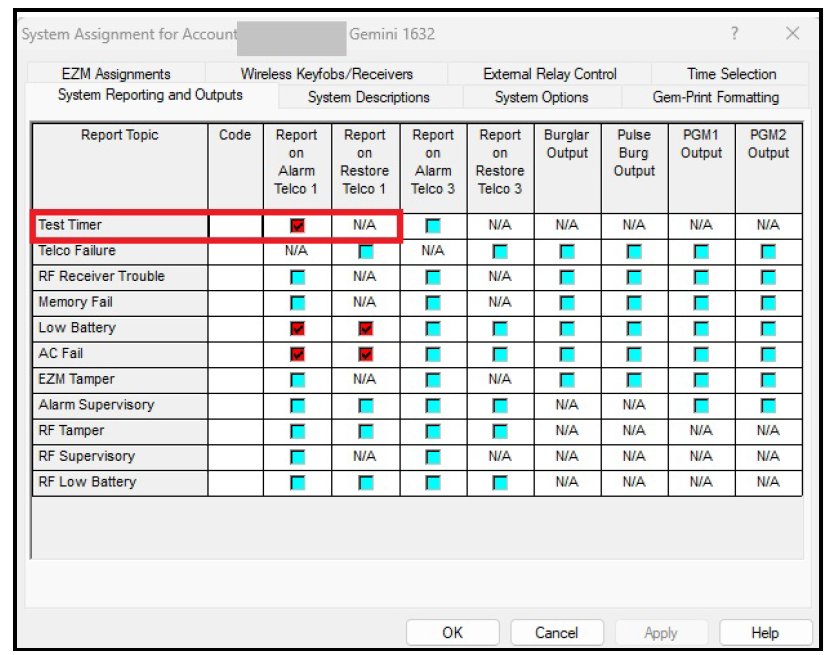
In PCD-Windows Quickloader software, select System Assignment > System Reporting and Outputs tab. Add a check to the Test Timer option for Report on Alarm Telco 1:
To send a communicator test to the central station using the keypad, enter your User Code, press FUNTION (or MENU) until "ACTIVATE DIALER TEST" appears, then press NEXT/YES.
A communication failure will be indicated at the keypad by a system trouble "E03-FAIL TO COMM" display. Repeat the test to attempt to correct a communication failure, as any successful communication will clear this trouble.